Stetley Docs: a word processor that opens Word files
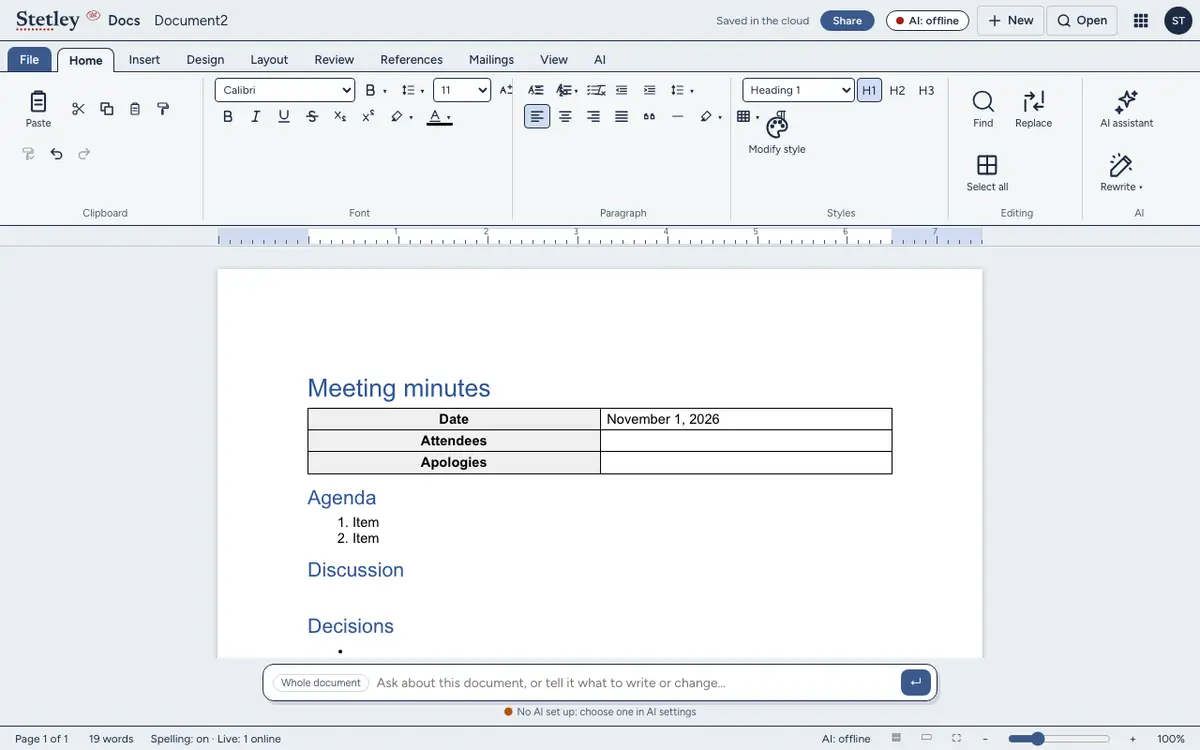
Word’s ribbon and shortcuts, in your browser. Docs opens Word files and PDFs and saves .docx, with track changes, comments, footnotes and equations.
Documents are kept in your browser until you sign in. Sign in to share them and work together.
What it does well
- Your Word files, as they are
- Open a .docx and save it back as a .docx, with tracked changes, comments, footnotes and equations kept.
- PDFs at their exact layout
- A PDF opens view-only, laid out exactly as it was printed. Choose Edit and it’s a document like any other.
- Works offline
- Docs keeps working without a connection, and keeps your documents in your browser until you sign in.
- AI only if you want it
- Rewrites show word by word before anything changes, and go only to the model you chose: Apple Intelligence on your Mac, Ollama on your computer, a small model in your browser, or your own key.
Honest limits
Some Word formatting doesn’t carry over yet: formatting a file inherits from Word’s styles, floating images and live fields. If your documents lean on those, check a copy first.
Templates
Around 20 templates, from meeting minutes and reports to letters, a résumé and a lesson plan. Try the meeting notes template.
Stetley Docs and Google Docs compared · Stetley and Microsoft 365 · All the apps
Questions
Can I open a Word document without Microsoft Office?
Yes. Open the .docx in Stetley Docs in any modern browser, edit it and save it as a .docx again. No account and no install.
Is my document uploaded?
Not until you sign in. Until then Docs keeps it in your browser. Signed in, it’s kept in your Stetley account so you can share it.
Does it keep tracked changes and comments?
Yes: tracked changes, comments, footnotes and equations survive the round trip to .docx.
Can I edit a PDF?
A PDF opens view-only at its exact layout. Choose Edit and Docs turns it into a document you can change.